AI on the (relatively) cheap. How I self-host my local assistant

Why self-host AI?
Whether you love or hate AI it is a big thing right now. I try to take a pragmatic approach: use it for the boring bits because I want to save the interesting bits for myself. But you don't need frontier models for these boring bits...
Luckily relatively modest hardware is more than capable of running the small-to-medium size open-source models locally that can fulfil this function.
As a programmer I often have to work with mundane UI code and repetitive API handlers. Sometimes I'll need a document or datasheet digesting because I honestly can't be bothered to read the entire thing. I'll often reach for my local AI assistant for these sorts of tasks.
But why bother with these smaller models at all?
I worry about having a tool that I am reliant upon that is not under my control. We have already seen prices go up, restrictions made, and changes made under the hood that affect the quality of the output.
By having a local AI assistant, I pay once for the product and can choose the model I wish to run. And I do not need to worry about privacy concerns and the information never leaves my network or VPN.
Hardware
Integrated GPU's don't suck anymore.
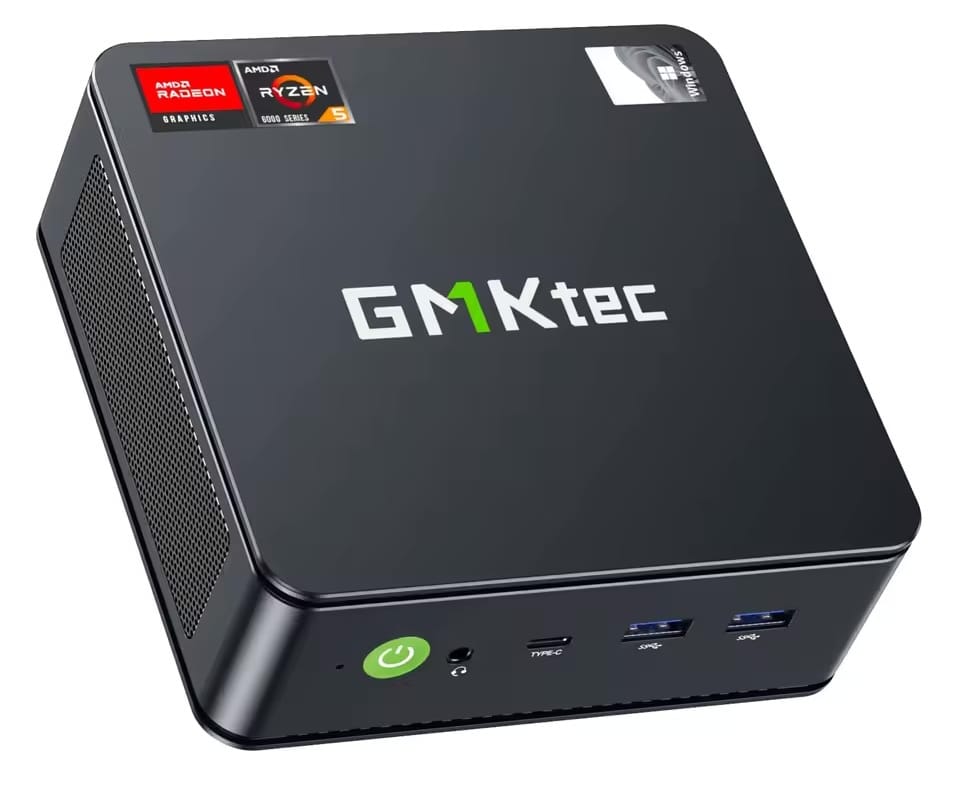
I bought a GMKTec Ryzen 5 6600H mini-PC a couple of years ago along with 64GB of DDR5 because the hardware was cheap (and I'm glad I did). I didn't specifically buy this machine with the intention of using it for AI tasks, but I discovered that the iGPU supports UMA (Unified Memory Architecture).
Why is this important? It means (under Linux) you can dedicate almost all of your system RAM to be VRAM. Your model can run on the GPU and benefit from the speed advantage over the CPU whilst also occupying most of total RAM in your system.
Even a top-of-line graphics card doesn't have this much VRAM. It'll be faster, sure, for the things it can run, but if the model doesn't fit it's game over.
Tools
Here are the tools I have experimented with.
Llama.cpp
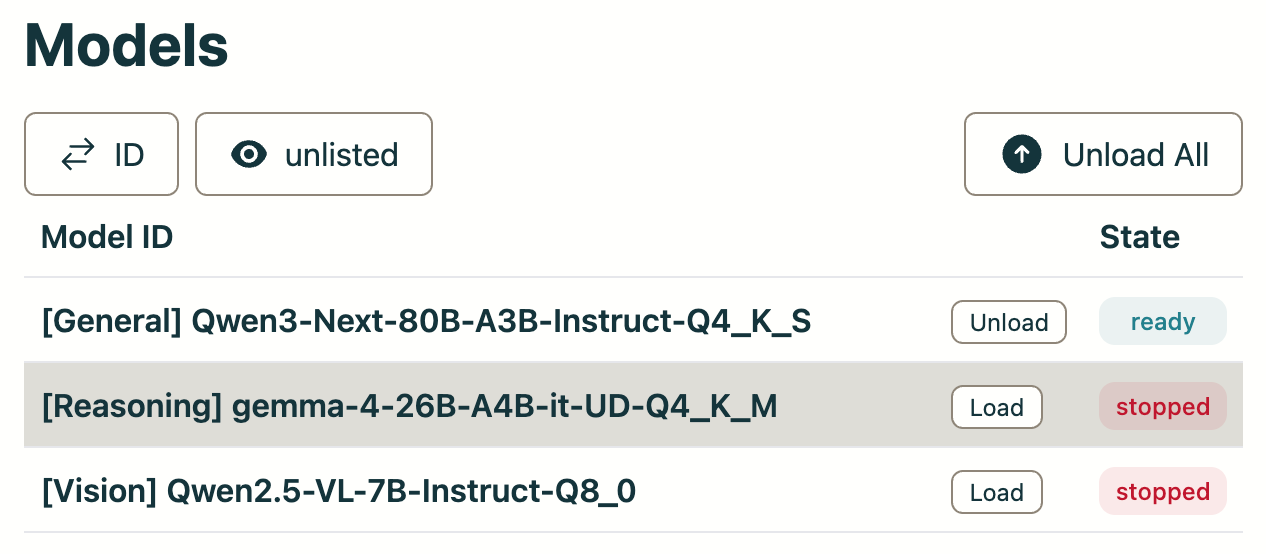
I most recently have settled on the Qwen series of models because they run fast (20 tokens/sec) even at 70 billion parameter sizes. The quality of the output is useful enough to be a daily driver.
I use Llama.cpp to run them because it has the latest optimisations for running on a Vulkan to take advantage of my GPU acceleration.


Generate an Asteroids game as single HTML page... Generating SVG code of a cat...
The llama-swap service allows you to juggle models entirely from a web UI so you don't need to have everything loaded at once.
Stable Diffusion
I must admit this is more of a toy, but it's fun to see what can be achieved using only consumer hardware.
Generate an image of a cat on a train eating spaghetti...

Implementation
To make my work easier to maintain and to share, I have implemented this AI infrastructure in Nix. I was already using Nix so it made sense. I can try the latest kernels, drivers and runtimes without breaking my setup because I can always roll it back to how it was.
Currently my Ryzen PC is on loan to the hackspace that I am a member of (and also look after the infrastructure for). I wanted other members to also participate in AI experiments and benefit from having an AI assistant that is cost free (given that a single box can happily serve multiple users).
For inspiration, all the configuration source is available on GitHub:
https://github.com/leigh-hackspace/infrastructure-nix-flake/blob/main/machines/aibox/ai.nix